Charts, client records and branded PDF reports in one online workspace
OnlineJyotish Astrologer App includes horoscope generation, marriage matching, Panchang, planetary transits and guidance tools, along with the ability to save client charts and generate professional PDF reports under your own brand. It works entirely in a web browser, so there is no separate desktop software to install or maintain. It works on Windows computers, Apple computers, iPhone, iPod, MacBook, Google Chromebook, Android mobiles and tablets, across all major operating systems. You can log in from anywhere to view horoscopes and generate PDFs with your name, address and other professional details.
Professional workspace features
Chart backup and restore
Download a backup of saved charts and restore it to your account when needed.
Desktop-style working area
On larger screens and landscape devices, open the Desktop Horoscope in a separate full-size window for a software-like working experience.
Saved client charts
Save charts to your account database, search by client details, open them again, update them and reuse them across supported reports.
A4 and A5 horoscope PDFs
Choose A4 or A5 from the Download PDF tab. Each format uses its own tested page size, margins, typography and page breaks.
White-label reports
Use your professional name, address, contact details, logo, signature, cover image and selected header or footer details on supported PDFs.
Astrologer and client workspace
Manage your profile, saved charts, PDF usage and subscription from one login-protected account dashboard.
Saved preferences
Keep your preferred language, default country, city, coordinates and timezone ready for faster day-to-day work.
Tools included for subscribers
These are the tools currently visible to a normal subscriber account. Administrator-only services under review are listed separately below.
Horoscope and matching
Create and review the reports most often used in an astrologer’s daily practice.
- KP Desktop — Krishnamurti Paddhati
- Birth Time Rectification (BTR) — KP comparison assistance
- Compare one main horoscope with up to 3 marriage matches
- KP Horary
- Desktop Horoscope
- Vedic Horoscope
- Marriage Matching
- Star Match
- Dasha Koota Matching
- Marriage Nakshatras
- Newborn Horoscope
- KP Horoscope
- Nadi Reading
- Prashna Kundali
Panchang and daily timings
Use date- and location-based tools without leaving the app workspace.
- Monthly Panchangam — sunrise, sunset, moonrise, moonset and Nakshatra Padas
- Daily Panchanga image sharing and monthly printing (3 or 4 days per A4 page)
- Daily Panchangam
- Hora Times
- Chowghati Times
- Daily Kala Times
- Daily Lagna Times
- Tarabal / Chandrabal
- Today Sankalpam
Year, festival and transit tools
Check important yearly dates and planetary movements for the selected location.
- Shani Trayodashi and Shani Jayanti
- Shraddha Tithi Finder
- Festivals
- Sankasti Chaturthi
- Shivaratri Dates
- Sankranti Dates
- Karte Entry Dates
- Ekadashi Dates
- Pradosh Vrat Dates
- Monthly Shraddha Tithi
- Monthly Transits - Sign
- Monthly Transits - Star
- Retro Motion Finder
- Guru Moudyam
- Sukra Moudyam
- Solar Eclipse
- Lunar Eclipse
Guidance tools
Additional tools for Vastu, traditional recommendations and spiritual guidance.
- Check House Vastu
- House Facing Direction
- Vedic Gem Report
- Rudraksha / Ishta Devata
- Sai Prashnavali
Services for paid subscribers
An active paid astrologer subscription is required.
- Upanayana Muhurta Patrika
- Wedding Muhurta Patrika
White-label PDF branding
Present supported customer reports using your own professional identity.
Configure your astrologer or business name, print address, contact details, logo, signature, optional cover image and header or footer preferences. After you confirm and lock the print identity, only an administrator can change those locked identity details.
- Vedic horoscope PDF
- KP horoscope PDF
- Marriage matching PDF
- Kuta and Dasha Kuta matching PDFs
- Newborn horoscope PDF
- Nadi report PDF
See exactly what you get
Real screens and sample report pages from the OnlineJyotish Astrologer App. Select any image to view it at full size.
Free/default PDF compared with OJApp white-label PDF
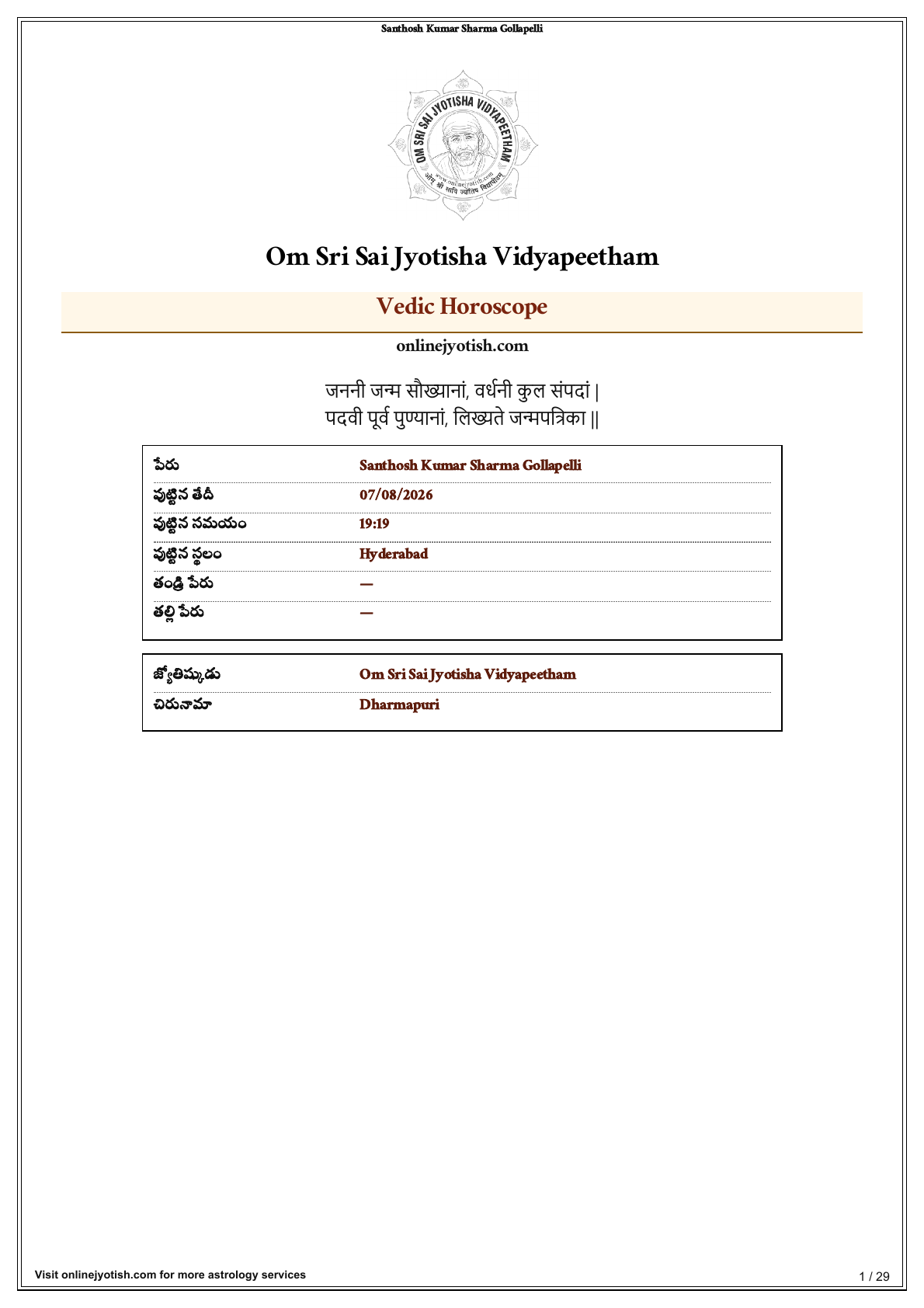
Standard A4 PDF
The standard report carries the OnlineJyotish name, logo and website identity.
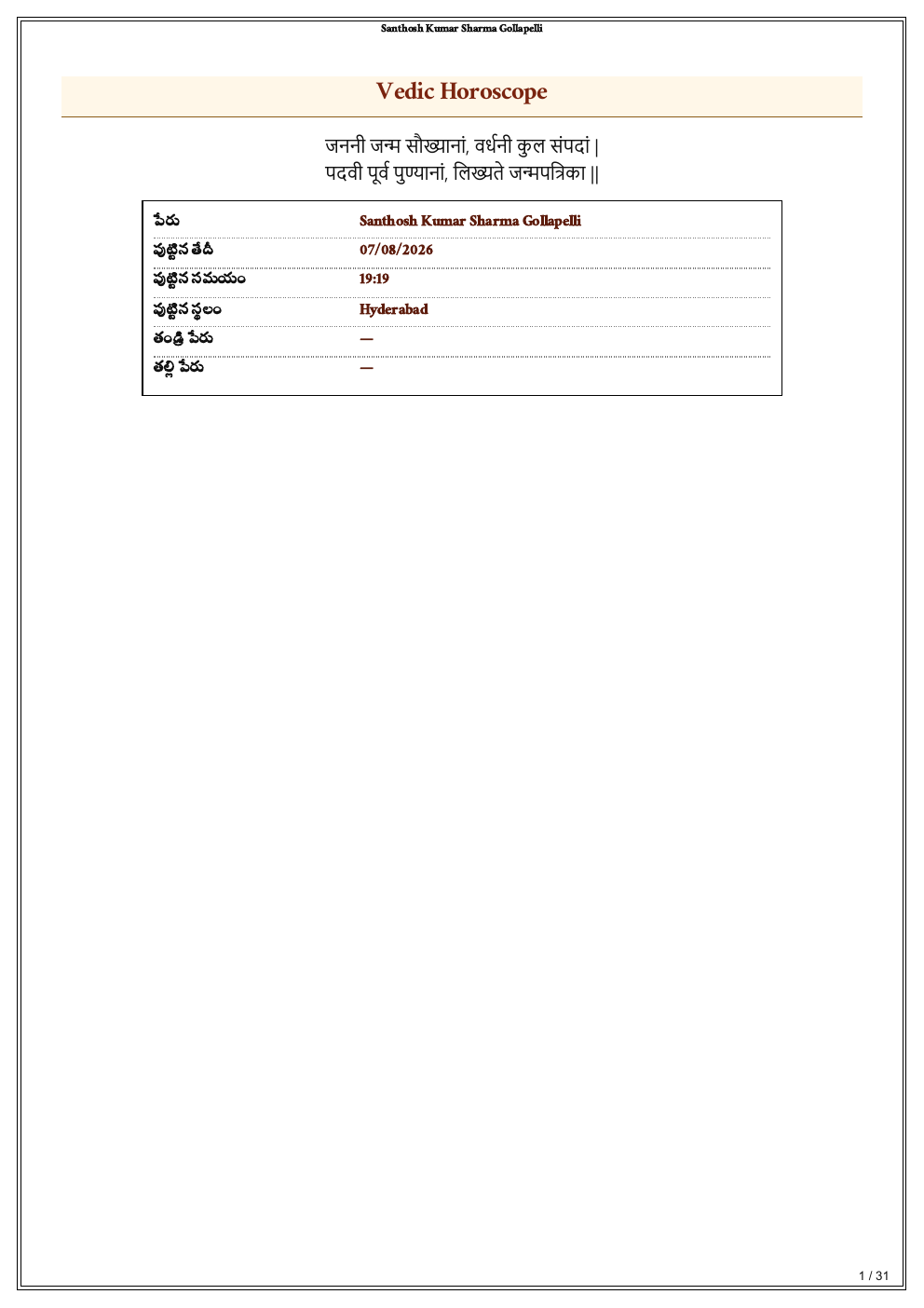
Your professional A4 PDF
OJApp can print the supported report with your confirmed astrologer identity instead of the website identity.
The astrology content remains the same; the presentation and print identity change.
Desktop workspace, tools and print setup
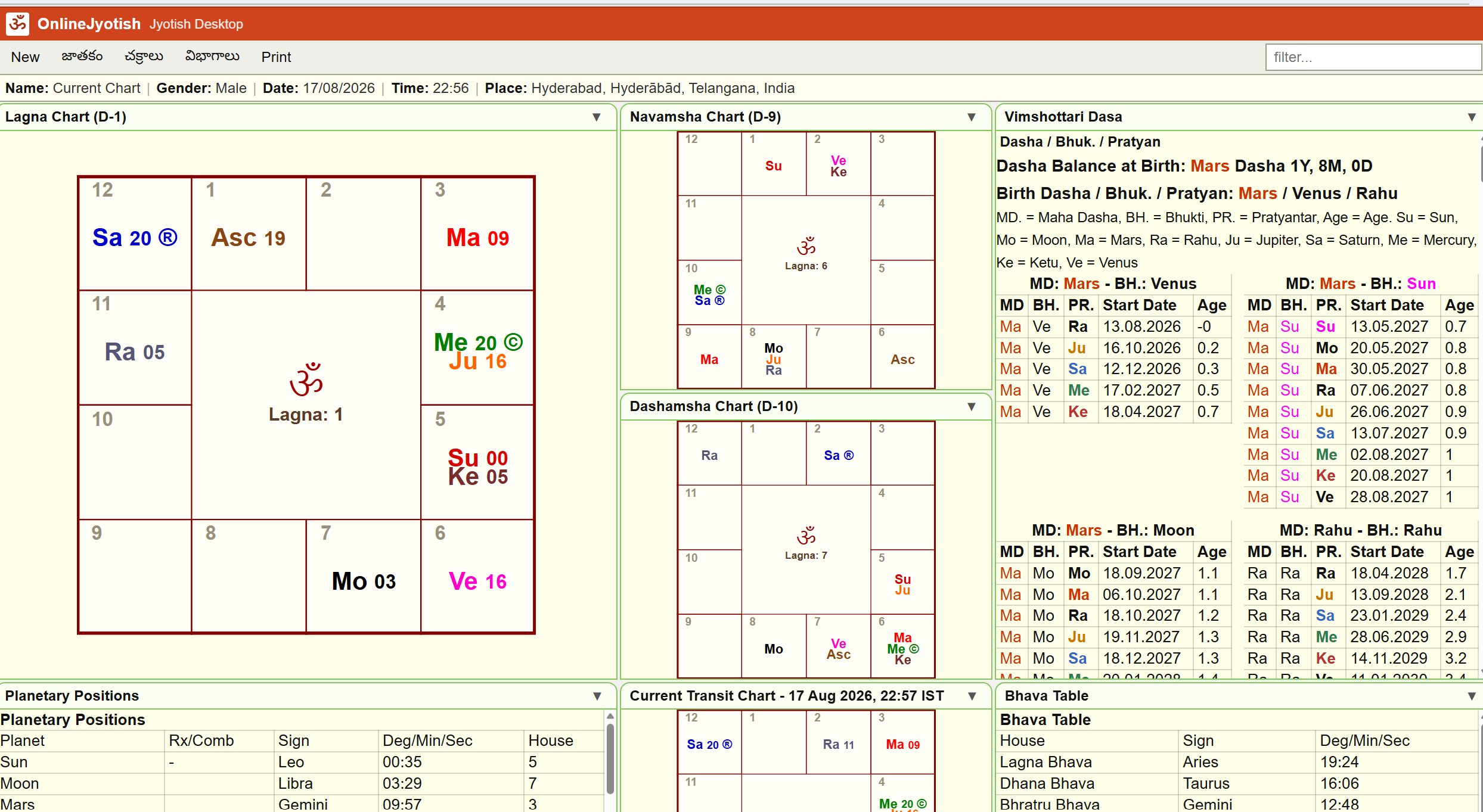
Desktop working area
Enter birth details once, switch between horoscope and matching, and keep the result beside the form.
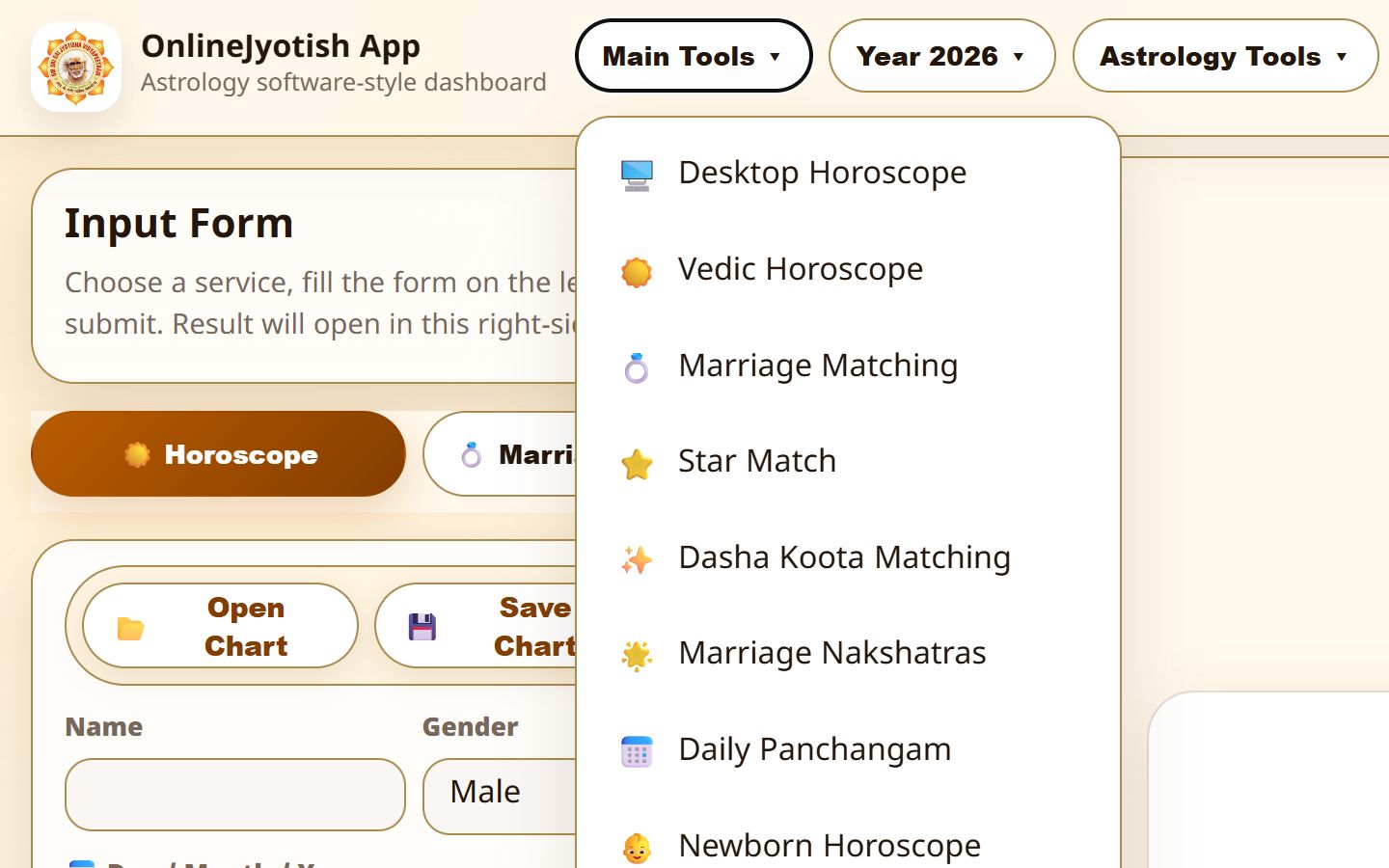
Horoscope and matching tools
Open Desktop Horoscope, Vedic Horoscope, Marriage Matching, Panchang and other subscriber tools from one menu.
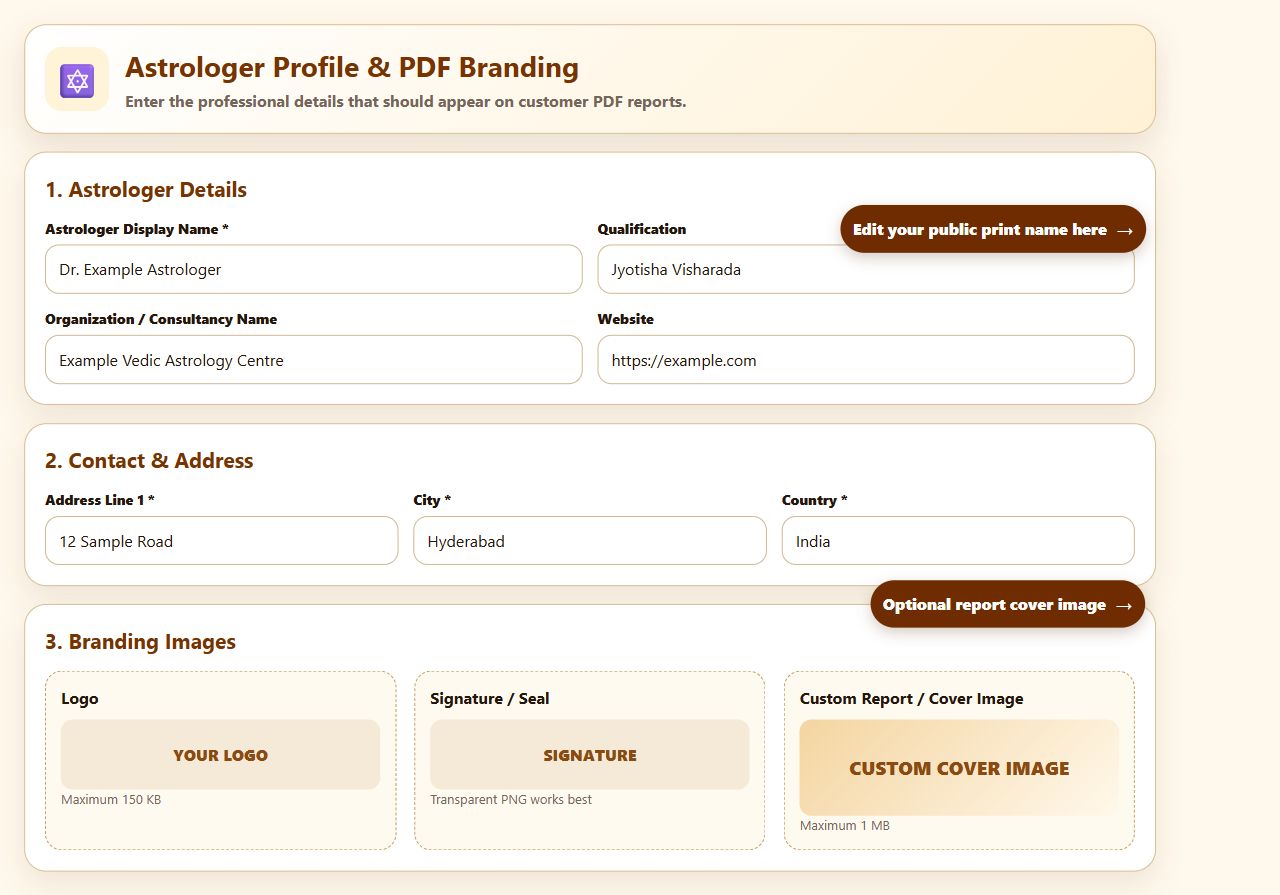
Your PDF identity
Add the astrologer or business name, contact details, logo, signature and an optional cover image.
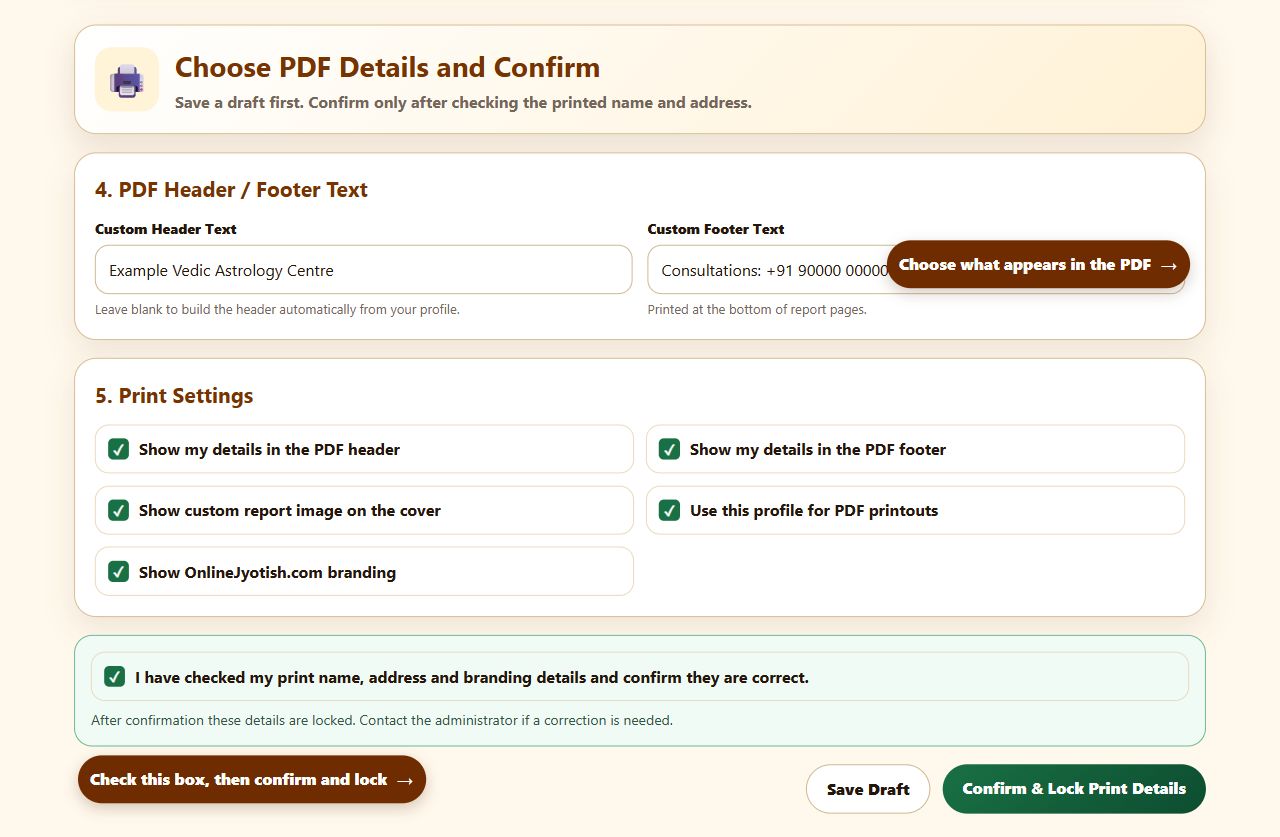
Print controls
Configure custom header and footer text, visibility options, page numbers and output preferences.
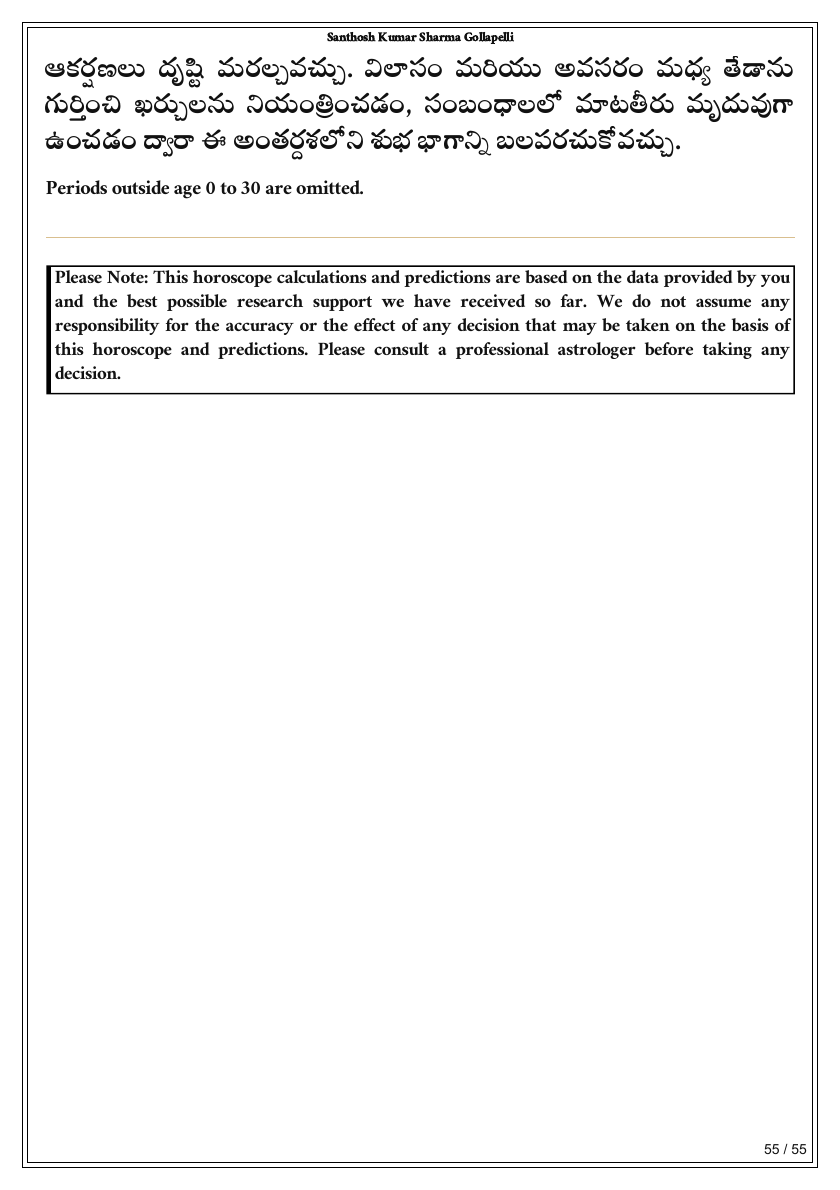
A5 print format
Generate a compact A5 version in addition to A4; page layout and numbering are adjusted for the selected paper size.
Available interface languages
Choose a language in the app and save it as your default preference. Report depth can vary where a particular translated report section is still being completed.
- English
- Telugu
- Hindi
- Marathi
- Kannada
- Bengali
- Gujarati
- Punjabi
- Tamil
- Malayalam
- Russian
- German
- French
- Japanese
- Chinese
Subscription plans
There is one Premium feature set. Choose the payment period and currency available for your region.
Free Trial
- Up to 5 PDFs in total
- Up to 25 saved charts
- No payment required
- Deleting a chart does not restore PDF usage
Ends after one month or 5 generated PDFs, whichever happens first.
Premium Monthly - India
- All subscriber features
- 100 PDFs each month
- Up to 5,000 saved charts
- White-label branding and client dashboard
Manual payment through PhonePe. Renew only when you choose to continue.
Premium Monthly - International
- All subscriber features
- 100 PDFs each month
- Up to 5,000 saved charts
- White-label branding and client dashboard
Charged in USD through PayPal. Manual renewal; there is no auto-debit.
Premium Yearly - India
- All subscriber features
- 100 PDFs each month
- Up to 5,000 saved charts
- Save compared with twelve monthly payments
INR yearly plan through PhonePe. A yearly USD plan is not offered.
Services currently under administrator review
Subscription questions
Do all paid plans include the same app features?
Yes. The India monthly, international monthly and India yearly plans provide the same subscriber tools, PDF allowance, saved-chart limit and white-label facilities. The differences are currency, payment gateway and subscription period.
Does the subscription renew automatically?
No. Renewal is manual. No automatic recurring debit is created through PhonePe or PayPal.
What happens when the free trial ends?
The trial ends after one month or after 5 PDFs have been generated, whichever happens first. PDF usage is counted even if a saved chart is later deleted.
Can I place my own details on customer PDFs?
Yes. Supported reports can use your professional name, address, contact details, logo, signature, cover image and selected header or footer content. After you confirm the print identity, only an administrator can change the locked identity details.
Can I choose both A4 and A5 horoscope PDFs?
Yes. The Download PDF tab lets the astrologer select A4 or A5. The two outputs have independent print sizing, fonts, margins and page breaks.
Are Muhurta and paid report-order tools included now?
Sankashti Multi-City Image, Monthly Muhurta, Muhurta Times, Paid Horoscope Report and Paid Matching Report remain administrator-only while they are being checked. Standard Vedic Horoscope and Marriage Matching tools are available to subscribers.
Are subscription payments refundable?
No. The user must accept the non-refundable payment policy before payment. Access is activated after the payment is successfully verified.
Try the astrologer workspace before choosing a plan
Create an account and use the free trial for up to one month or 5 PDFs, whichever limit is reached first.